Keep useful things close.
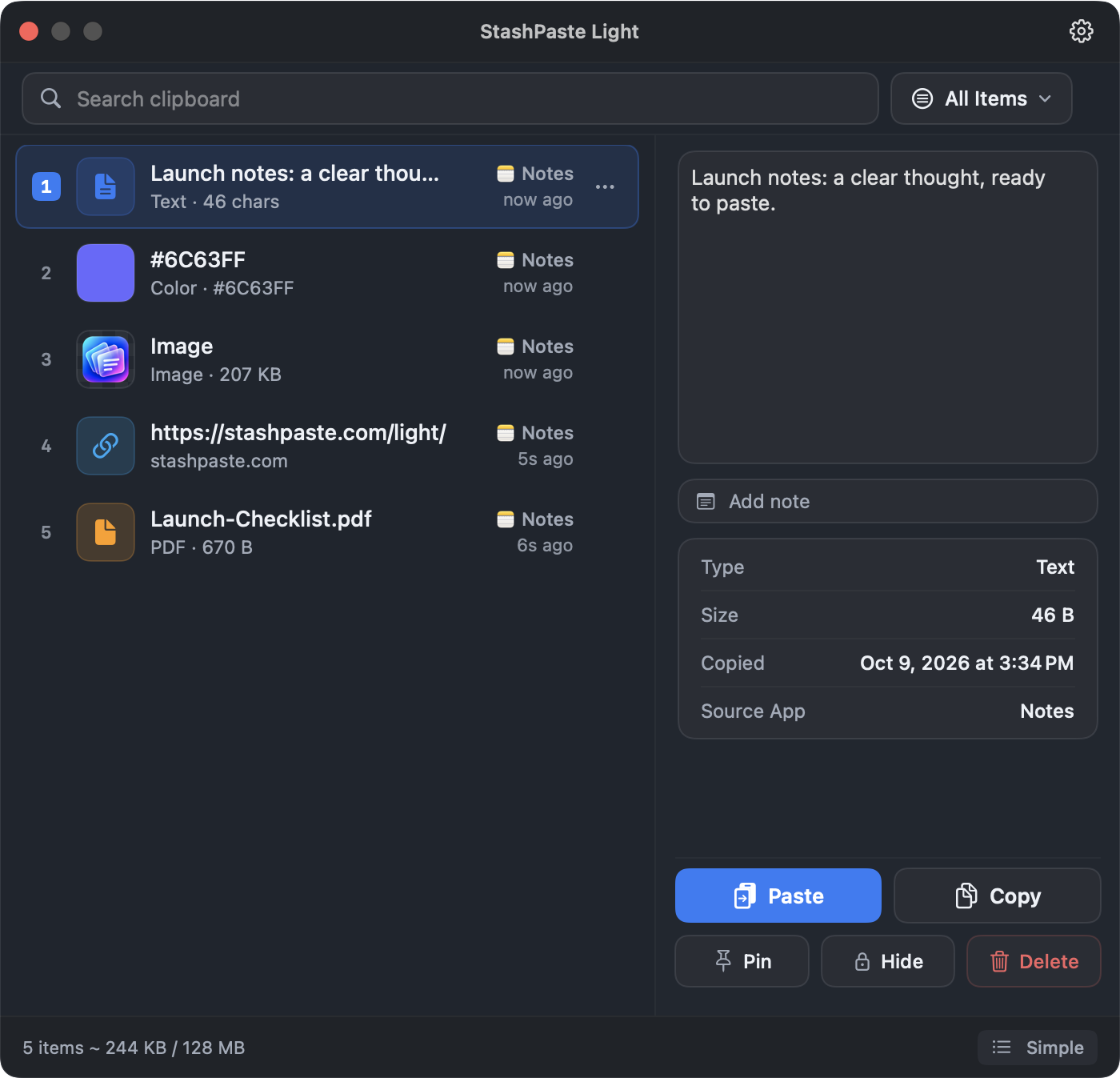
Pin the items you reach for and add notes that make sense of them. Pins and notes belong to the current session.
Light · Advanced View
Zoom 100%
STASHPASTE LIGHT VS. APPLE SPOTLIGHT
Apple’s Spotlight helps you find what you’ve copied. StashPaste Light adds pins, notes, content filters and authentication controls — with session history that starts fresh when you quit the app.
Version 1 is free. Activate a free license within seven days of first launch.
macOS 13+ · Apple Silicon & Intel
Comparison scopemacOS Tahoe 26.7.1
StashPaste LightStashPaste Light · Version 1
Documentation reviewed
THE DETAILS, SIDE BY SIDE
Both give you a way back to copied content. The differences are in how you work with it and when the history ends.
| Feature | Apple SpotlightmacOS Tahoe 26.7.1 | StashPaste LightVersion 1 · Free session-history edition |
|---|---|---|
| Everyday copying | ||
| Clipboard history | Built in | Current-session history |
| Search | Search copied items | Search session history |
| Text, images, links & files | Supported | Supported; ordinary files are references |
| Content-type filters | Not documented* | Filter by content type |
| Organization & access | ||
| Pinned items | Not documented* | Keep items at the top for the session |
| Notes on items | Not documented* | Add context for the session |
| Hidden items | Not documented* | Authenticate to reveal, copy or paste |
| Authentication to open history | Not documented* | Optional; off by default |
| Exclude apps from capture | Not documented* | Supported password managers + your exclusions |
| Plain-text paste from history | Not documented* | Dedicated action + default preference |
| History & getting started | ||
| How long history stays | 30 minutes, 8 hours or 7 days | While Light runs, within its memory limit |
| Clear all history | Manually | Manually + on app exit |
| Clipboard history on macOS 13–15 | Requires macOS Tahoe or later | Available on macOS 13+ |
| Additional installation | None | Install the Light app |
| Separate license key | None for this feature | Free key; activate within seven days |
“Not documented” means the feature is not described in the Apple clipboard-history sources linked below. It is not a claim that the feature cannot exist. General Spotlight search filters are not confirmation of clipboard-specific filters. Sources ↓
A CLOSER LOOK AT LIGHT
A focused clipboard workspace, with the context and controls you need while you work.
Pin the items you reach for and add notes that make sense of them. Pins and notes belong to the current session.
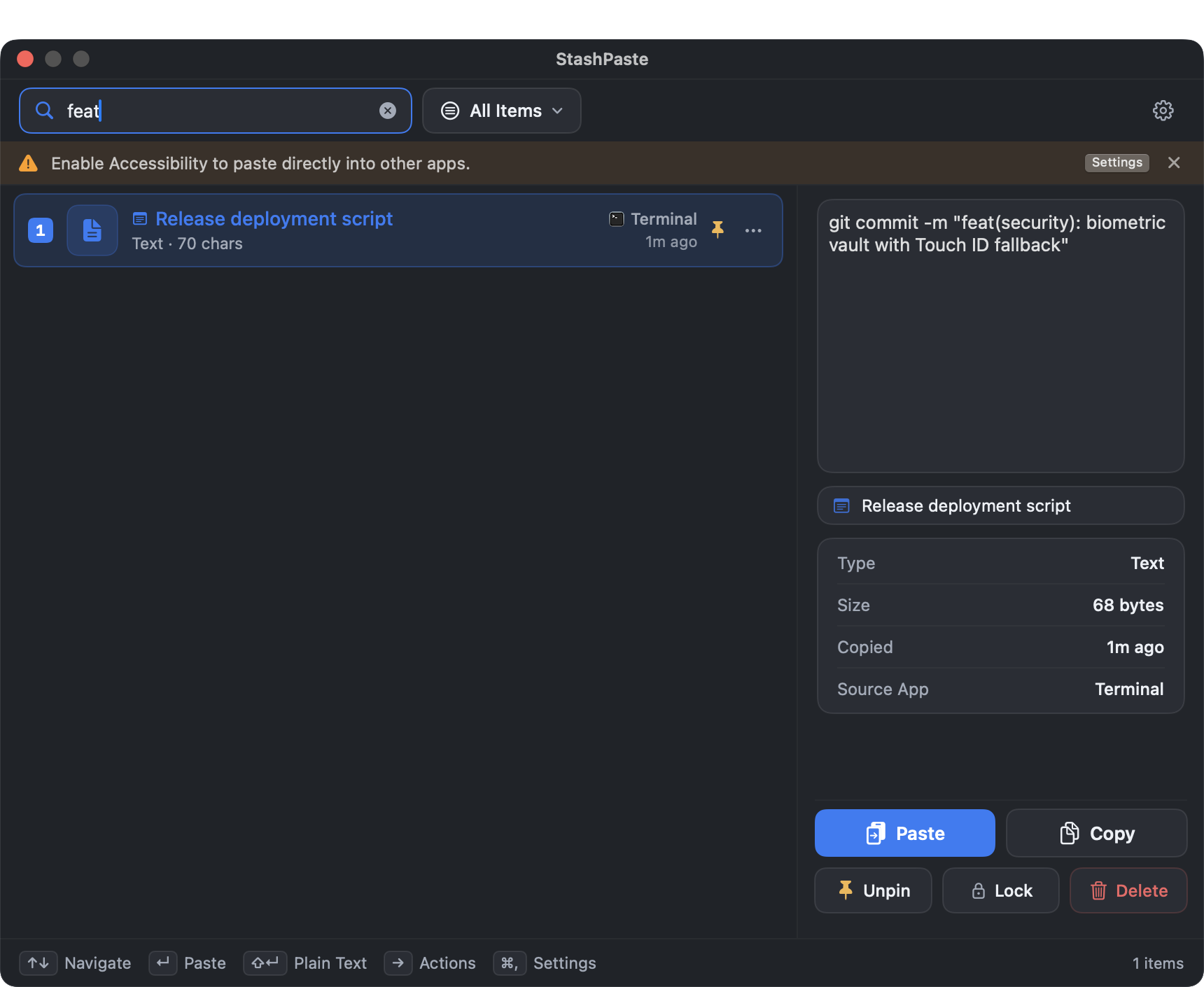
Search your session and narrow the list with content-type, Pinned or Hidden filters.
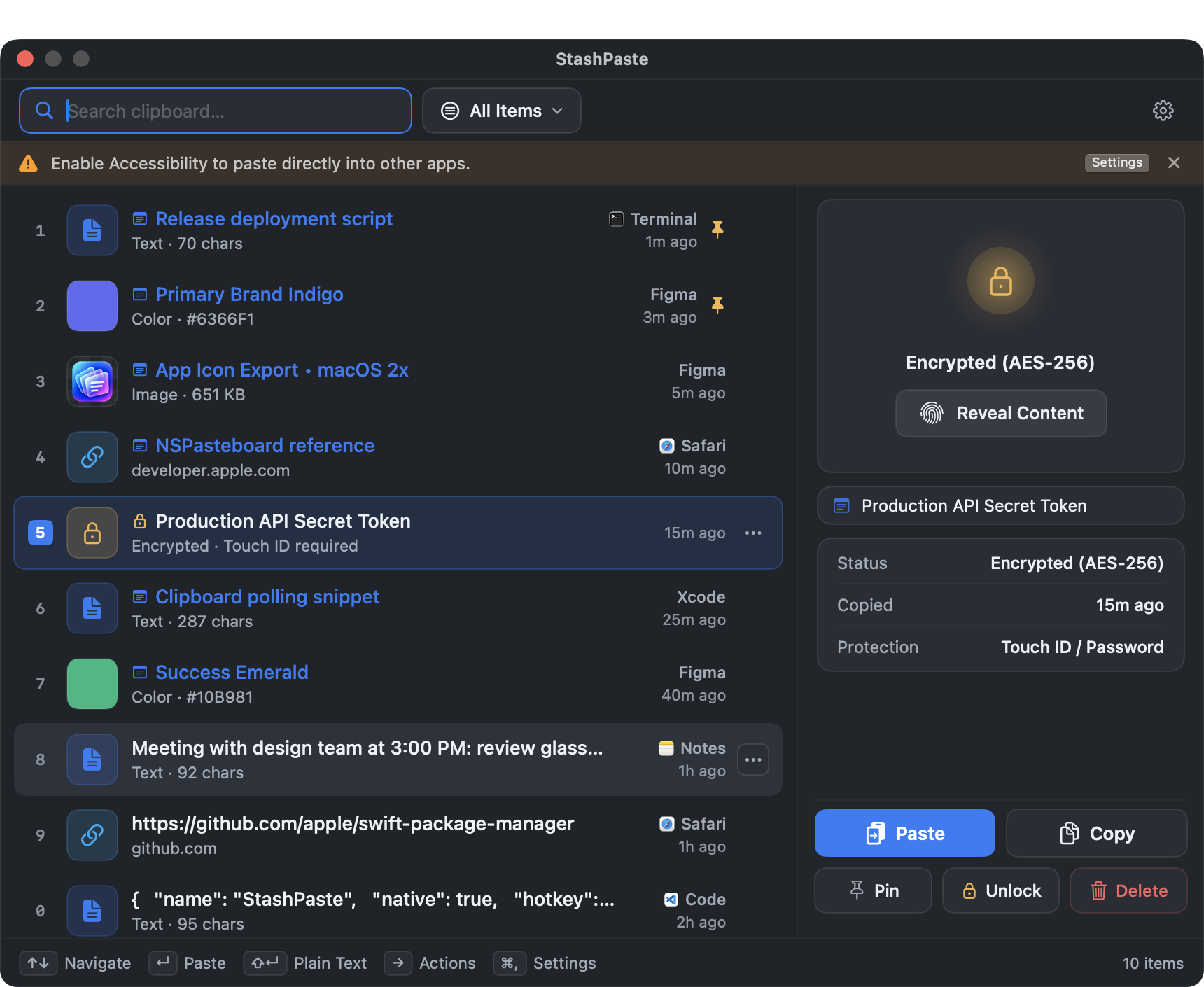
Hidden records require Touch ID or your macOS password to reveal, copy or paste. You can also require authentication when opening history.
A SESSION, BY DESIGN
History stays in process memory while Light runs. When the app exits, that history — including pins, notes and Hidden flags — is discarded.
Read about Light’s privacy controlsSleep and screen lock also preserve the current history while Light continues running. They end temporary authenticated access.
Quitting, a crash, an update or another process restart ends the session. The next launch starts with empty history.
Hidden protects display and access in Light; history in RAM is not encrypted. Quitting Light does not clear the macOS system clipboard.
Apple Spotlight
Choose the built-in option when finding and reusing recent clipboard items is enough, and you prefer no extra app or license registration.
StashPaste Light
Choose Light when you want pins, notes, content filters and authentication controls, with a fresh start after the app exits.
Light Version 1 has a perpetual $0 license for one person on one Mac at a time. Activate a free key within seven days of first launch. No payment method or subscription is required.
Free license details →No. Pins protect items from automatic removal when the history memory limit is reached. History, pins, notes and Hidden flags still end when the Light process exits.
Yes. macOS has Paste and Match Style in supported apps. The table compares a dedicated plain-text action or preference in the clipboard-history interface, not every way to paste in macOS.
The comparison scope is macOS Tahoe 26.7.1, listed by Apple at the time of review. We reviewed Apple’s public Tahoe and clipboard-history documentation on October 13, 2026. This is a documentation-based comparison, not a hands-on test of every feature in that build. Later versions may change the available controls.

Download Light, then activate your free Version 1 license within seven days of first launch.
macOS 13+ · Apple Silicon & Intel