Crafted for speed.
Engineered for Mac.
Every shortcut, animation, and storage algorithm is tuned to give you instant recall without breaking your concentration.
Search your clipboard history
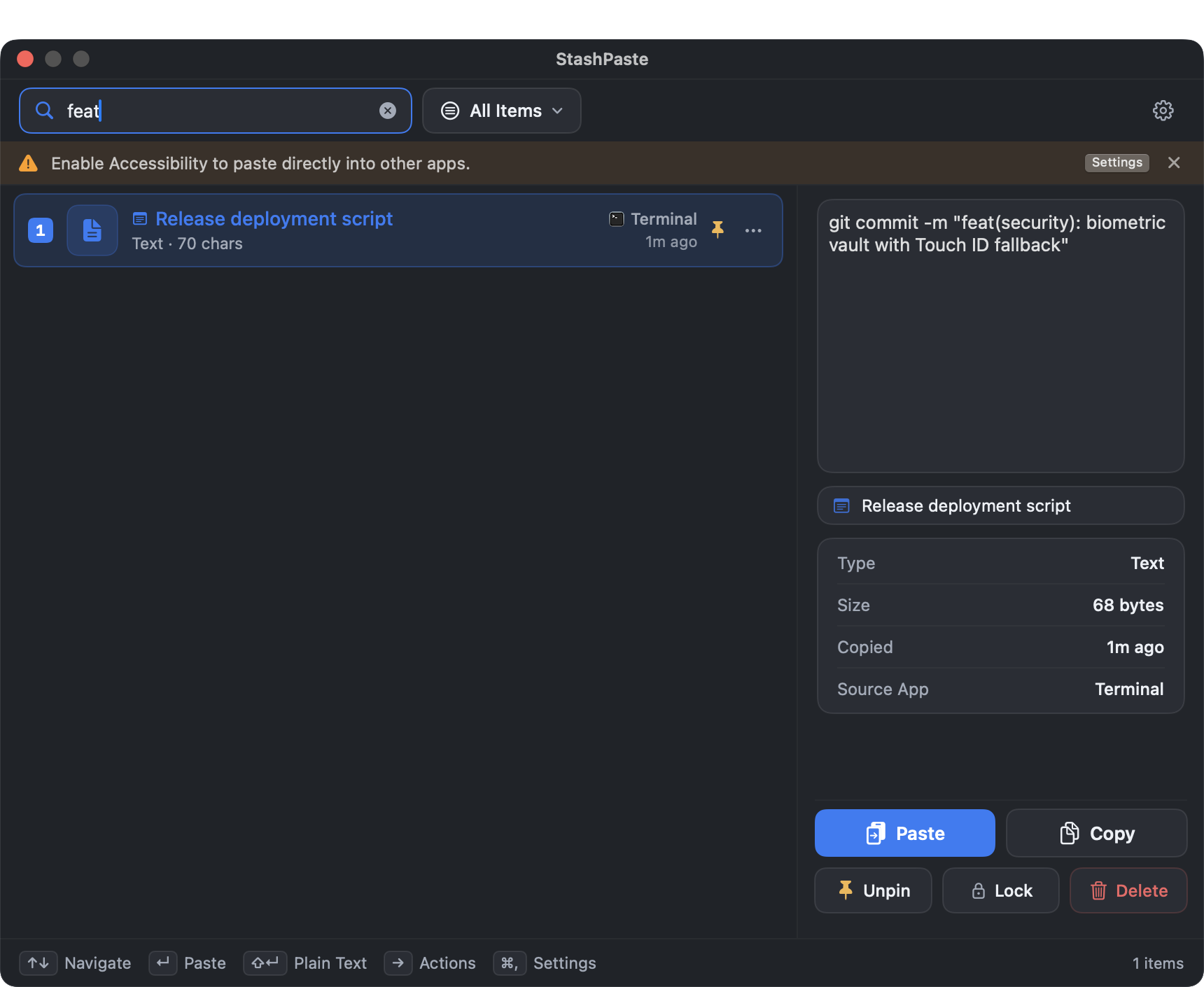
Never dig through folders or browser history again. StashPaste indexes your clipboard history in real-time. Start typing any fragment — code syntax, an email address, or a keyword — and the matching clip appears instantly.
- Global hotkey ⌘V summons clipboard from any app
- Arrow keys ↑↓ for rapid zero-mouse navigation
- Press ↩ to paste directly into your active window
Beyond plain text: images, colors, links & code
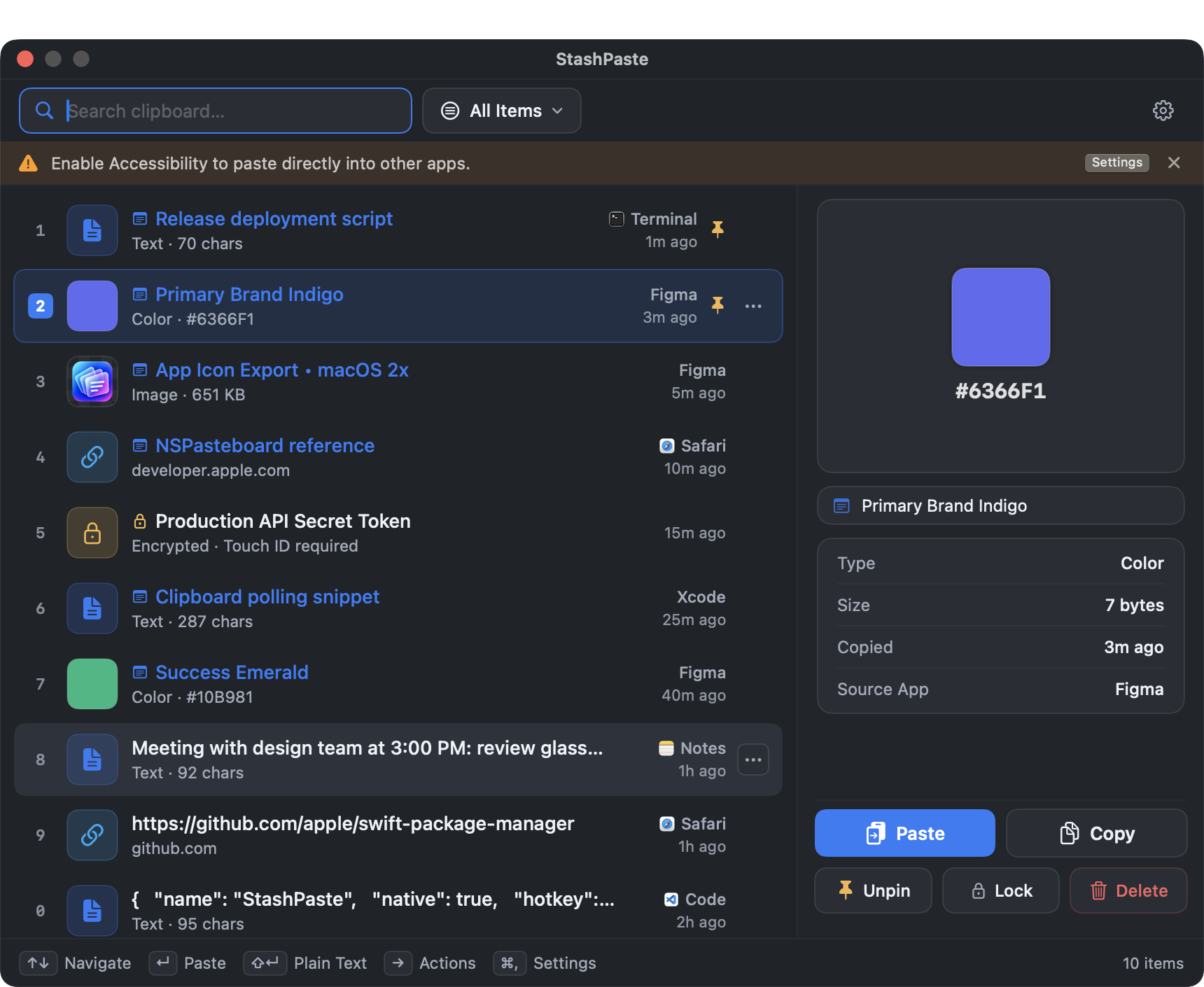
Your clipboard contains much more than raw text. StashPaste recognizes images, web links, color codes, and code blocks, presenting them with visual fidelity and actionable tools.
HEX & RGB Color Swatches
Copy any hex code (#8D9BFF). StashPaste renders an instant color swatch with single-click conversion between HEX, RGB, and HSL.
High-Res Image Previews
Captured screenshots and copied images display with thumbnail previews, dimensions, and file size metadata.
Plain Text Strip Toggle
Paste with formatting preserved, or use Shift+Enter to automatically strip formatting and paste clean plain text.
Lock sensitive snippets behind Touch ID
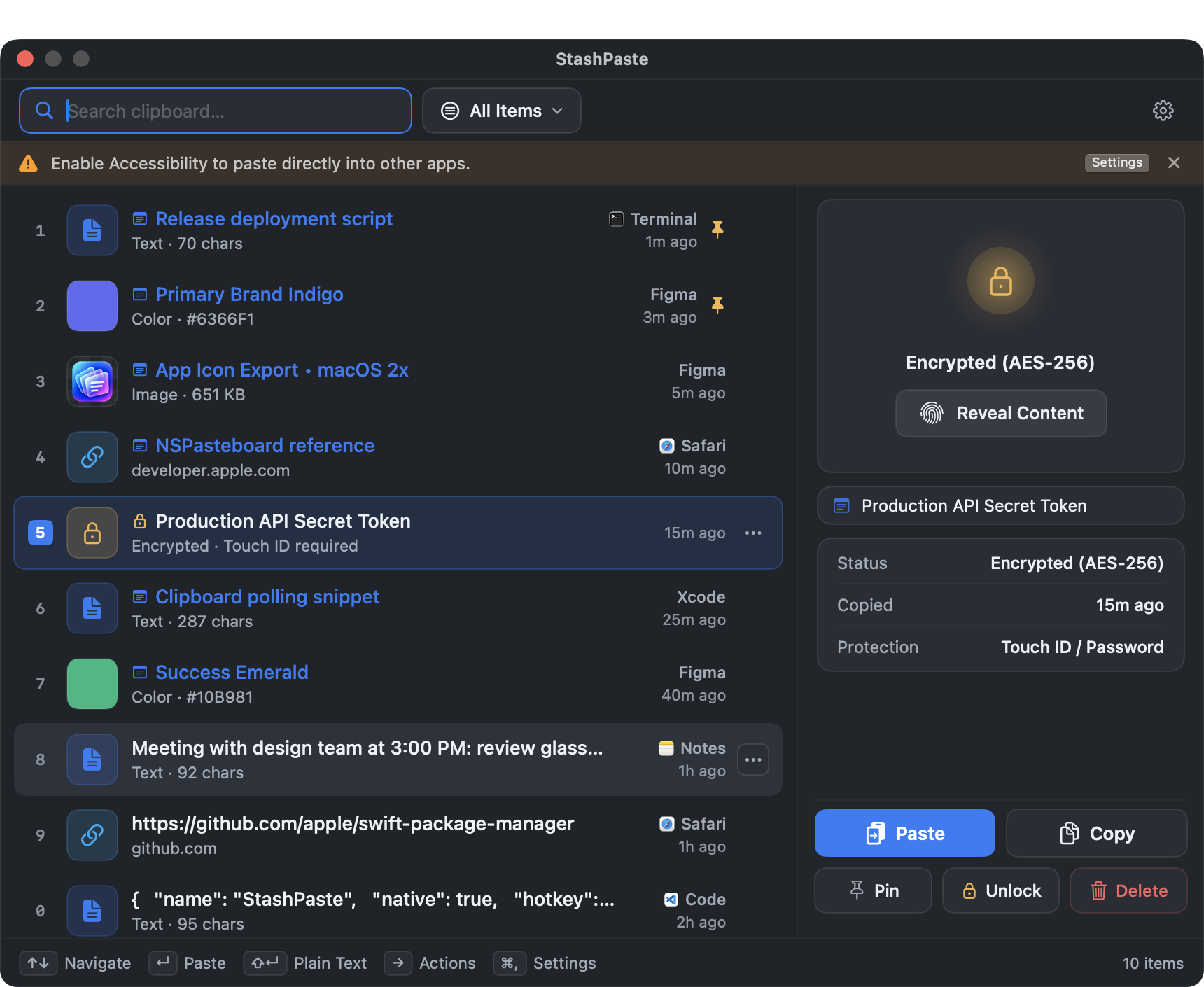
Selected clips can be protected and hidden until authentication with Touch ID or another method supported by macOS. This can help limit casual viewing, but should not replace a dedicated password manager or secure credential store.
- LocalAuthentication API & Secure Enclave integration
- Encrypted on disk inside your protected local SQLite database
- Auto-locks immediately when your Mac goes to sleep
Password Manager Exclusions
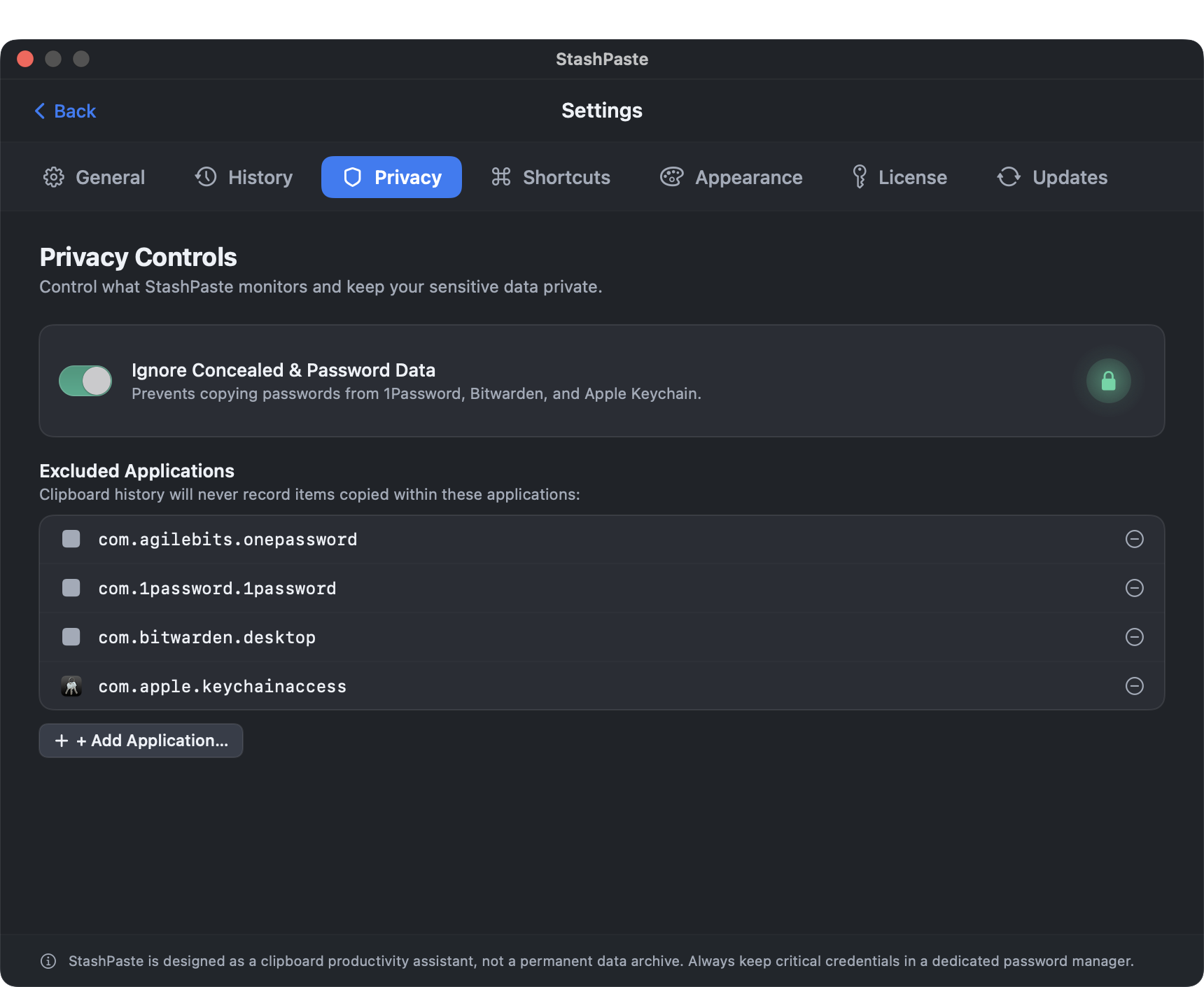
StashPaste can exclude clipboard content from supported password managers using macOS bundle identifiers. The settings shown include four app identifiers for 1Password, Bitwarden, and Apple Keychain. Exclusions may be affected by app or system changes, so check your settings before copying sensitive data.
Three seconds to muscle memory
Zero complex setup. Works automatically the moment you install it.
Copy
Copy anything as you normally do. StashPaste captures it silently in the background.
Press the shortcut to open StashPaste. Search or scroll through your clipboard history.
Done
Select an item and press Enter — it's pasted instantly into your active app.